
Download RAM Medic – RAM optimization, memory management, system performance, computer speed, memory leak fix, PC cleanup
Overview
RAM Medic is a utility application designed to improve computer performance by intelligently managing and optimizing RAM usage. Its primary purpose is to scan the system, free up unused memory, and address memory leaks that can lead to program slowdowns or crashes. This tool is particularly useful for users operating on systems with limited memory resources or those experiencing performance degradation over time due to background processes and inefficient memory allocation.
The app targets individuals who rely on their computers for productivity, gaming, or multitasking, especially those using older machines where hardware limitations are more pronounced. By freeing up available memory and preventing resource exhaustion, RAM Medic helps maintain consistent system responsiveness. It is also beneficial for users who frequently run multiple applications simultaneously and need a reliable way to manage system resources without manual intervention.
Developed by RAM Medic, the application has been available since 2006, indicating a long-standing presence in the PC optimization space. While the developer did not provide additional technical details about their background or development philosophy, the app’s longevity suggests a stable and functional design. Real-world use cases include improving startup times, reducing application lag, and preventing unexpected crashes during critical tasks.
RAM Medic plays a niche but important role in the broader ecosystem of system utilities. In an environment where users increasingly demand seamless performance from aging hardware, tools like RAM Medic offer a lightweight, focused solution to maintain efficiency without requiring major hardware upgrades.
Key Features & Functionality
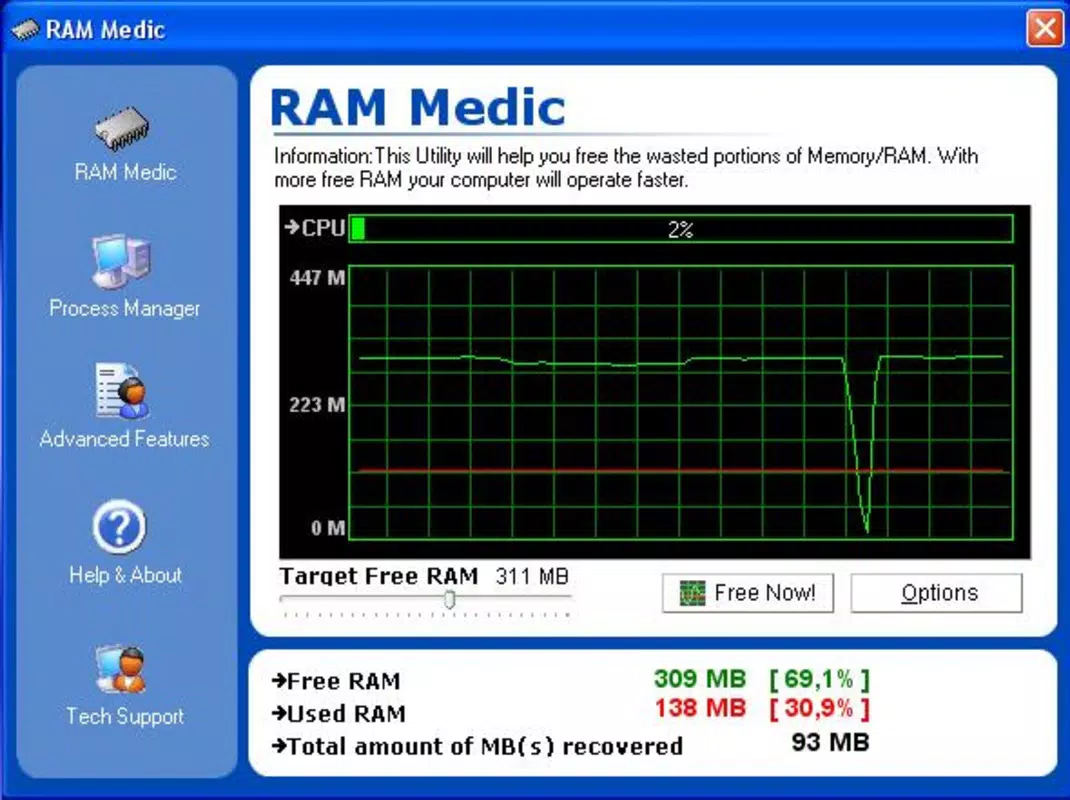
- Intelligent Memory Scanning: The app employs a dedicated engine to analyze system memory usage, identifying segments of RAM that are occupied but not actively used. By releasing these idle resources, it increases available memory for active applications, improving overall responsiveness.
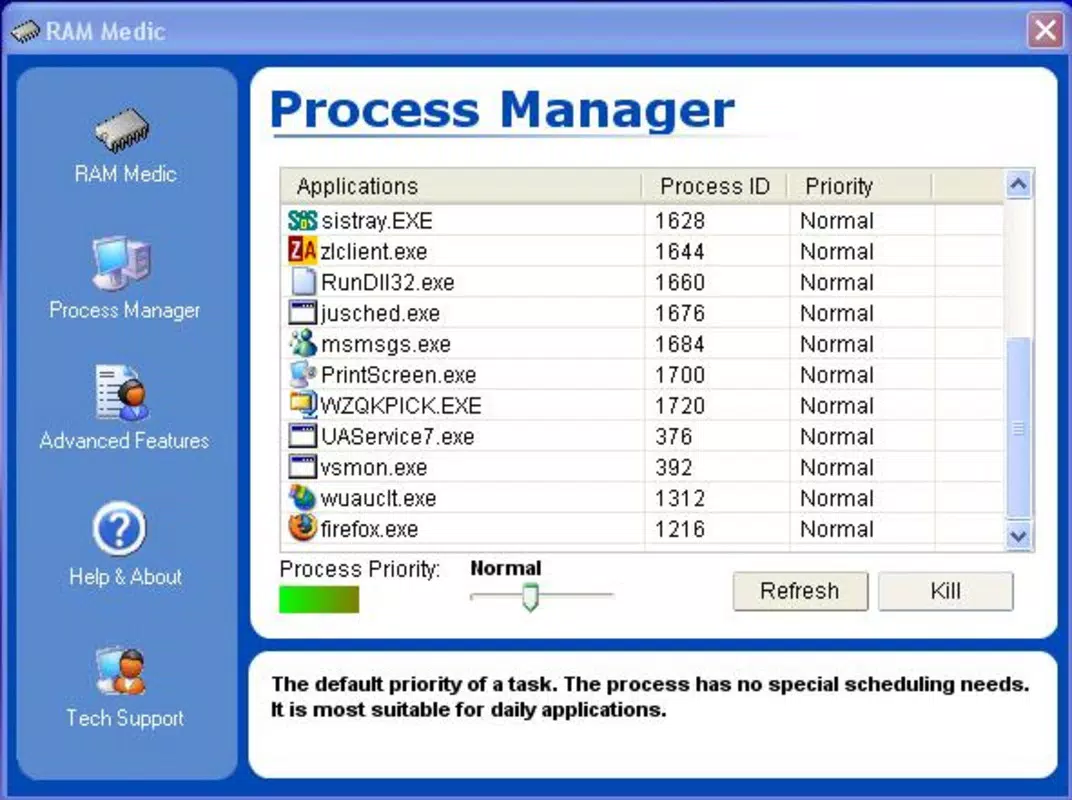
- Process Management: Users can monitor and prioritize specific processes, allowing critical programs to receive higher memory allocation. This feature supports efficient multitasking by ensuring essential tasks are not starved of resources.
- Memory Leak Elimination: RAM Medic detects and resolves memory leaks—instances where applications fail to release allocated memory after use. This proactive approach prevents gradual performance decline and enhances long-term system stability.
- Universal Compatibility: Designed to function across a wide range of Windows systems, from older machines with limited RAM to modern devices, the tool adapts its optimization strategy based on system specifications.
For example, a user running a legacy application on a 2005-era PC might experience frequent freezes due to memory overflow. RAM Medic can scan and reclaim unused memory, allowing the application to run more smoothly. Similarly, a content creator using multiple design tools simultaneously could use the Process Manager to ensure their primary software receives priority, reducing lag and improving workflow efficiency.
Interface, UX & Performance
The user interface of RAM Medic is designed with functionality in mind, offering a straightforward layout that prioritizes accessibility. Navigation is linear and intuitive, allowing users to initiate scans, view process lists, and apply optimizations with minimal steps. The visual style is minimalistic, focusing on clear data presentation rather than decorative elements, which aligns with its utility-driven purpose.
Users can expect consistent performance across different device categories, including older desktops and modern Windows systems. Although the developer did not list formal performance metrics, the app’s lightweight footprint of 2.5 MB suggests it imposes minimal overhead on system resources. Responsiveness is maintained during operation, with scan results delivered promptly and process adjustments applied in real time.
Stability is a key strength, particularly for long-term use. The application does not appear to cause system instability or crashes during operation, which is critical for a tool that interacts directly with memory management. However, specific requirements were not listed, so compatibility with newer Windows versions beyond basic support cannot be confirmed.
Platform Compatibility & Technical Requirements
RAM Medic is available exclusively for the Windows platform. It is compatible with Windows operating systems, though the developer did not specify minimum OS requirements or version compatibility details. The application has a file size of 2.5 MB, making it suitable for systems with limited storage capacity.
Given its release date in 2006, the app was originally designed for older Windows versions such as XP or Vista. While it may still function on modern systems, the absence of updated compatibility information means users should exercise caution when installing on newer platforms. The developer did not provide details on supported Windows versions, updates, or future development plans.
Pros and Cons
Pros
- Lightweight design with minimal system impact (2.5 MB file size)
- Effective memory scanning and cleanup capabilities
- Supports process prioritization for better multitasking
- Addresses memory leaks to improve long-term stability
- Universal compatibility across various Windows systems
Cons
- Developer did not provide updated compatibility information for modern Windows versions
- No official updates or release notes since 2006
- Limited technical documentation or user guides
- Price point of $9.99 may be considered high for a tool with no recent development
- Compatibility with newer operating systems is uncertain
FAQ
Is RAM Medic safe to install on my computer?
Yes, RAM Medic is designed as a system utility and does not contain malware or intrusive behavior. However, users should ensure they download it from trusted sources to avoid unauthorized modifications.
Can I use RAM Medic on Windows 10 or Windows 11?
While the app was released in 2006 and may function on newer systems, the developer did not confirm compatibility with Windows 10 or 11. Users are advised to test it in a controlled environment before full deployment.
Does RAM Medic require administrative privileges?
The developer did not specify whether elevated permissions are required. In general, memory management tools often need admin rights to operate effectively, but this is not confirmed for RAM Medic.
Is there a free version or trial of RAM Medic?
Currently, RAM Medic is offered as a paid application priced at $9.99 with no indication of a free trial or demo version. Users should consider this before purchasing.
How often should I run RAM Medic?
There is no official recommendation from the developer. However, users may benefit from running it periodically—especially after prolonged use or when experiencing performance issues.
Final Thoughts
RAM Medic remains a noteworthy tool for users seeking to optimize their computer’s memory performance, particularly on older or resource-constrained systems. Its core features—intelligent scanning, process management, and memory leak detection—offer tangible benefits for maintaining system responsiveness and stability. While its age raises concerns about compatibility and support, the app’s lightweight design and focused functionality continue to make it relevant in niche scenarios.
For users who rely on legacy hardware or need a no-frills solution for memory optimization, RAM Medic presents a viable option. Its ability to reclaim unused memory and prevent crashes makes it a valuable addition to a system maintenance toolkit. However, those using modern systems should consider whether the lack of updates and uncertain compatibility justifies the cost.
Download RAM Medic now


